CrenoSync

In every plan

Every room on its own schedule

Each room has its playing time, its changeover and its start times. Generate your days from templates, then open or close any time with a click.

Admin portal tabs: Room ScheduleRoom Details

What you can do

Your days, your rooms

One day, every room

The day’s times room by room: offered, booked, closed by staff, closed by another game, or a public game with its places. The week’s bookings count sits above.

  • Click a time to open or close it
  • Generate or clear a day
  • The week at a glance
Room Schedule: one day, room by room Example

One game at a time, if you need it

With a single team or a shared space, a booking in one room can close the times that overlap in the others. Off by default, on in Site Settings › Booking.

  • Applies to new bookings
  • Overlapping times close themselves
  • Freed again when the booking is canceled

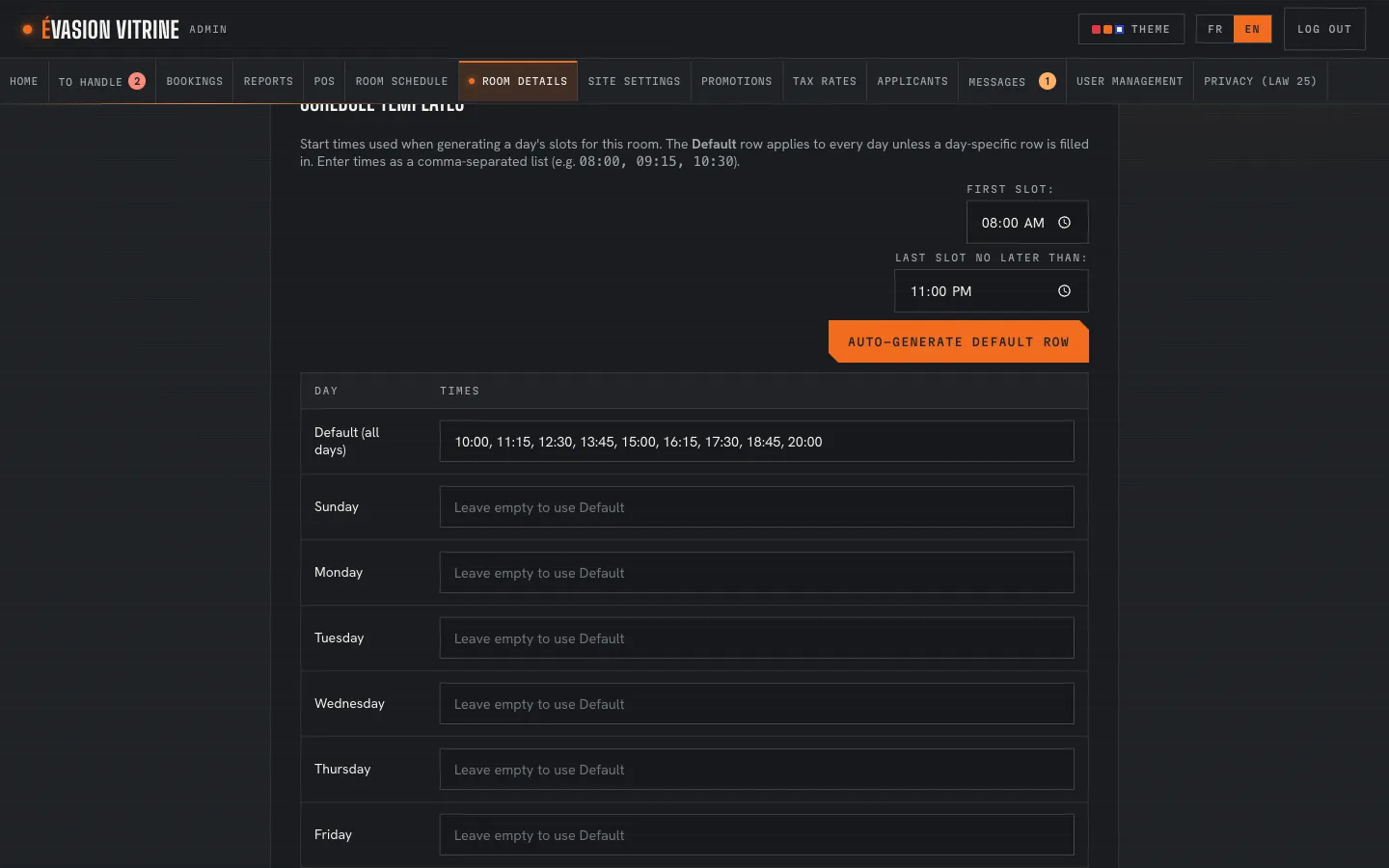
Start times by templates

A default row for every day, and a row for any weekday that differs. The portal can fill the default row from the playing time and changeover.

  • One template per room
  • Weekdays that differ
  • Times calculated for you
Room Details: a room’s schedule templates Example

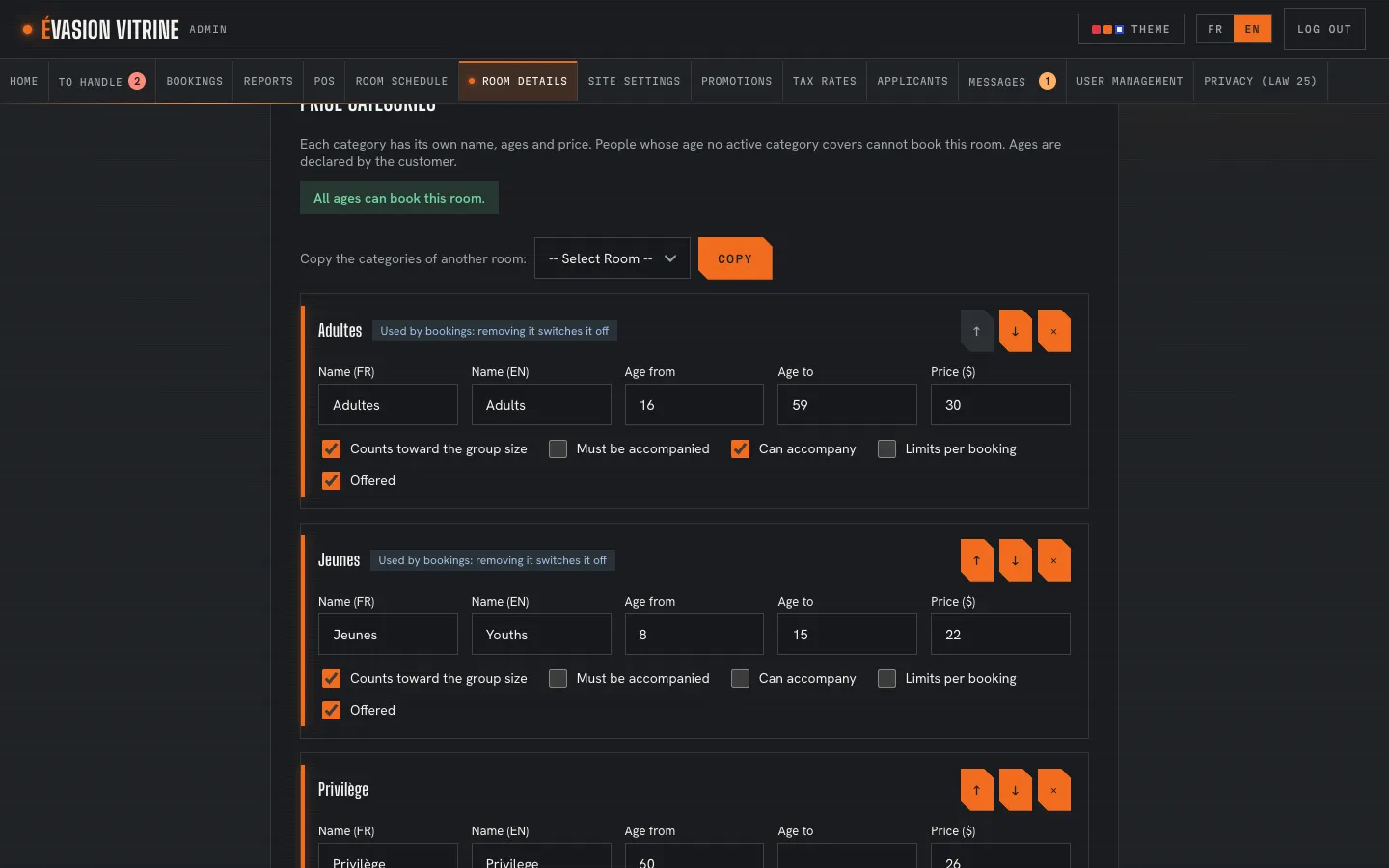
Rates by age, deposits per booking or person

Each room has its rate categories: name, ages, price, whether it counts in the group, must be accompanied or can accompany. Copy them from another room in one click.

  • As many categories as you need
  • Free categories, limits per booking
  • Deposit per booking or per person
Room Details: a room’s rate categories Example

An example Example

Opening next week

How a manager prepares a week of games.

  1. 9:00 AM

    Alex opens Room Schedule on next Monday and generates the day from the templates.

  2. 9:02 AM

    Same for the other days; Sunday follows its own template, with later times.

  3. 9:05 AM

    Alex closes Wednesday 13:00 in The Crypt for maintenance: one click.

  4. 9:06 AM

    Customers see the new week on the site right away.

What you set

For each room

  • Names and descriptions in French and English
  • Picture, features and rules
  • Smallest, suggested and largest group
  • Playing time and changeover
  • Start times, by weekday
  • Rate categories and ages
  • Deposit per booking or per person
  • Difficulty levels, if you offer them

Questions

Can I close a time that is already booked?

No: a booked time stays booked. Move or cancel the booking first.

How many rooms can I have?

Up to the limit of your plan. A room switched off disappears from the site and keeps its bookings.

See it with your rooms

Want the tour with your own business?

We show you the site and the admin portal set up with your rooms, rates and schedules, in French or English.