CrenoSync

In every plan

Bookings at any hour, without a call

Your customers pick a room, a day, their group and a time, and they get their confirmation by email. Each room follows its own rhythm: its own length, its own time between groups.

What you can do

From a click to a confirmed booking

Room, day, group, time

Customers see only the times still open for their group. One number per rate category: adults, youths, children, each with its price. Ages are declared, never birth dates.

  • Times from your schedule, live
  • Group size within each room’s limits
  • A promotion code, if you offer one
The booking page, a day chosen in three rooms Example

The slot is held while they book

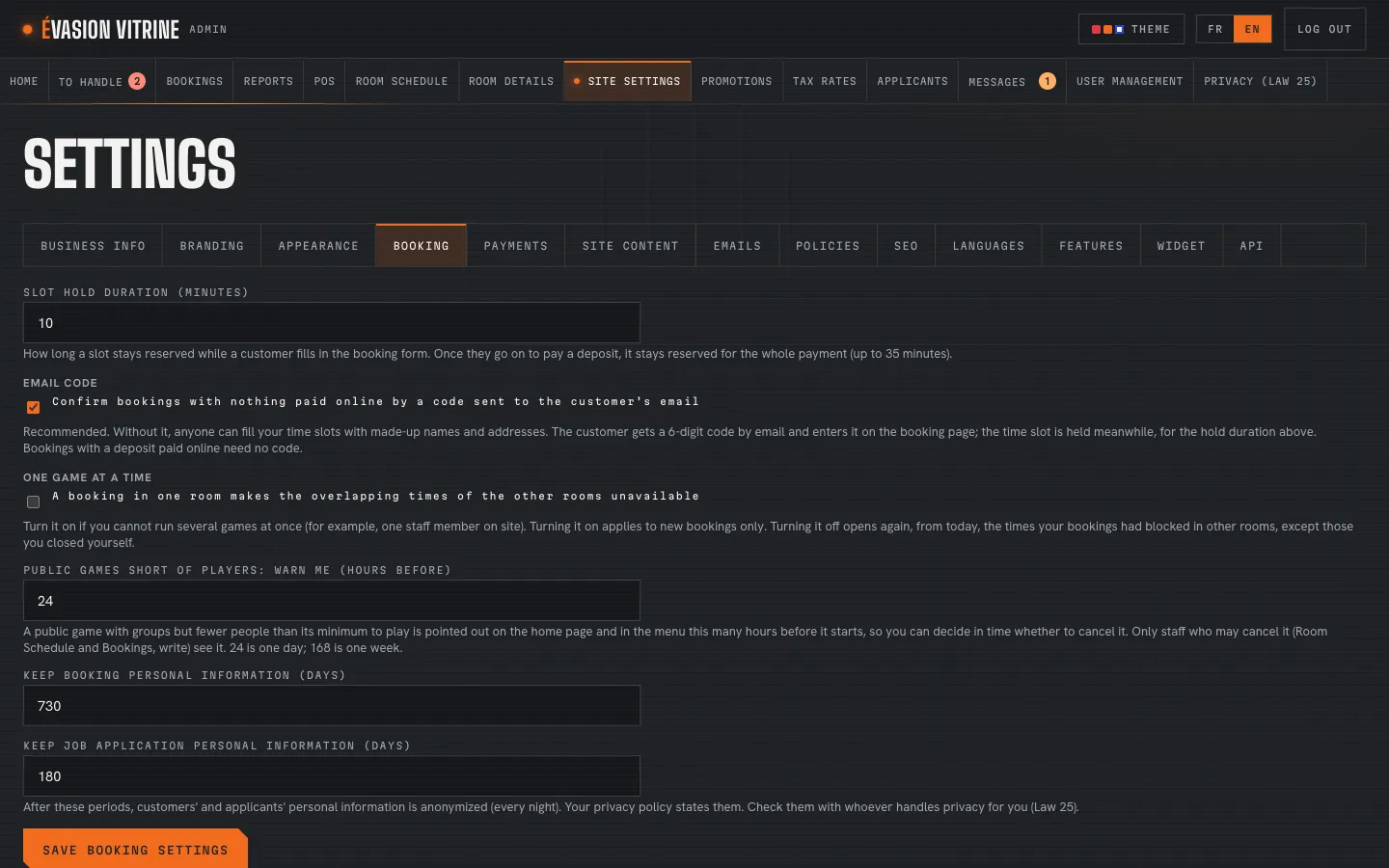
Nobody else can take the time while the customer fills in the form and pays. If they leave, it frees itself. You can also ask for a code sent by email before a booking without online payment.

  • Hold length of your choice
  • Optional email code
  • Retention periods for personal information
Site Settings › Booking: the hold, the email code and retention Example

Your rooms on your own site

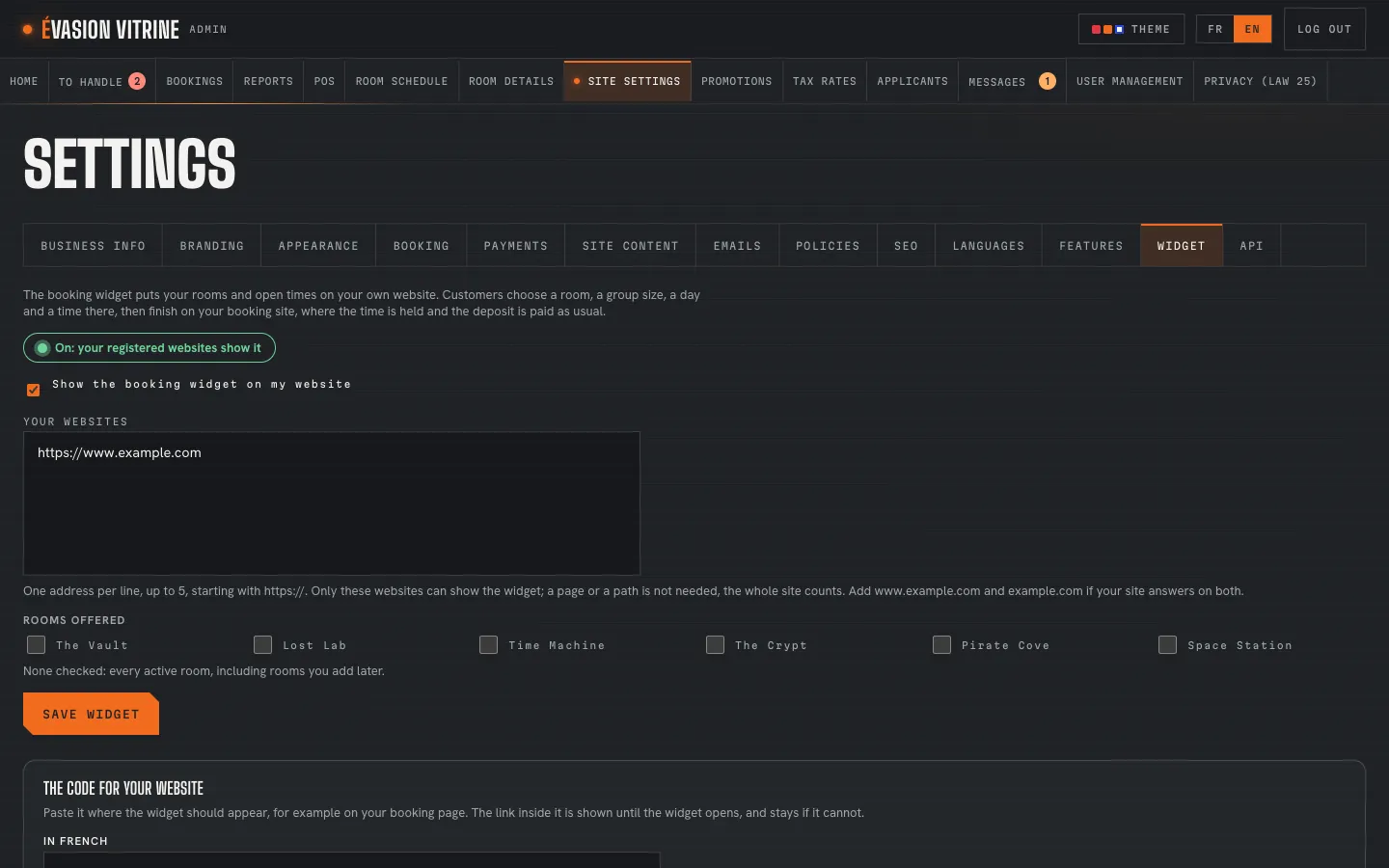
The booking widget shows your rooms and open times on the website you already have, with a short snippet of code. Customers finish on your booking site, where the deposit is paid. For developers, a booking API is documented on our developer pages.

  • One script tag
  • Up to five sites allowed
  • The rooms you choose
Site Settings › Widget: the sites allowed and the rooms offered Example

An example Example

A Friday night booking

A group of four books for Saturday, late at night, while the business is closed.

  1. 11:12 PM

    Rose opens the booking page on her phone and picks The Vault for Saturday.

  2. 11:13 PM

    She chooses 4 adults: only the times with room for four remain, and she picks 17:30.

  3. 11:14 PM

    The time is held for her while she fills in the form and accepts the policies.

  4. 11:16 PM

    She pays the $50.00 deposit; the booking is made once the payment is checked.

  5. 11:16 PM

    Her confirmation arrives in French, her language, with the details and the balance due.

On a phone

Booking with a thumb

Large buttons for the group and the times, a form that fills itself where the phone allows, a confirmation by email.

The booking page on a phone, a day chosen Example

What you set

Room by room

  • Playing time and changeover
  • Smallest and largest group
  • Rate categories, ages and prices
  • Deposit per booking or per person, the full price, or none
  • How long a slot is held
  • Email code before booking
  • The widget’s sites and rooms
  • Your policies, versioned

Questions

Do customers need an account?

No. A name, an email and a phone number are enough, and they accept your policies at checkout.

Can two people book the same time?

No: the time is held for the first one until they finish or give up. For activities where groups play together, see public games.

Is full online payment possible?

Yes, in every plan: room by room, a deposit, the full price, or payment on site.

See it with your rooms

Want the tour with your own business?

We show you the site and the admin portal set up with your rooms, rates and schedules, in French or English.