CrenoSync

Opérations plan, or Essentiel with the POS option

The balance, in a few taps

Load the booking, choose who pays and how much of the deposit each payment uses: one share per person, as much as possible, or an amount. What is left goes back to the organizer, to the card or in cash. Codes work online and at the counter.

Admin portal tabs: POSPromotions

What you can do

At the counter, and before

The counter

Load a booking by its number, set the players paid for and take the rest by card, debit or cash, with the change calculated. Each player can pay their own share. A PDF receipt is emailed or printed.

  • Pay for everyone or part of the group
  • Card, debit or cash
  • Receipt by email or on paper
The POS, a group of six with part of it already paid Example

The deposit, shared

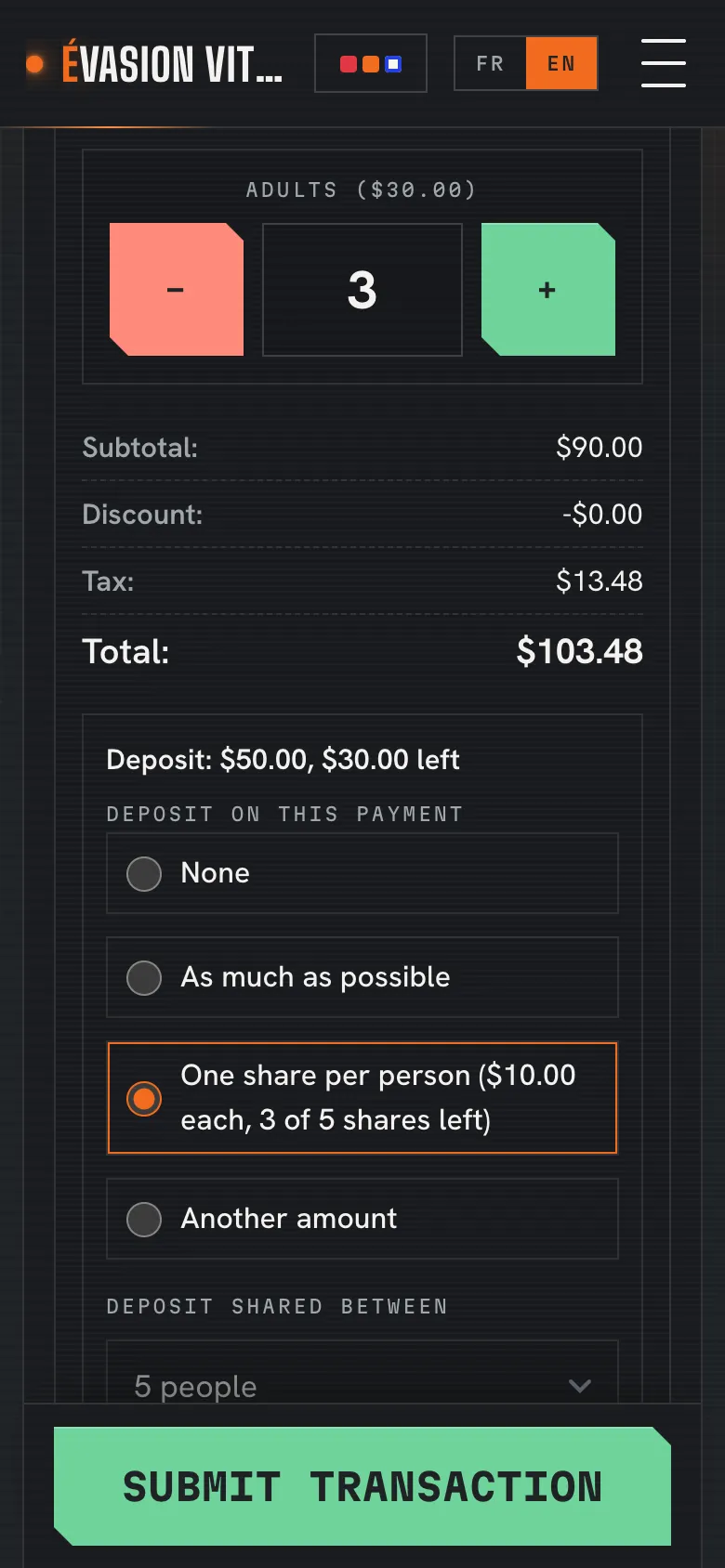
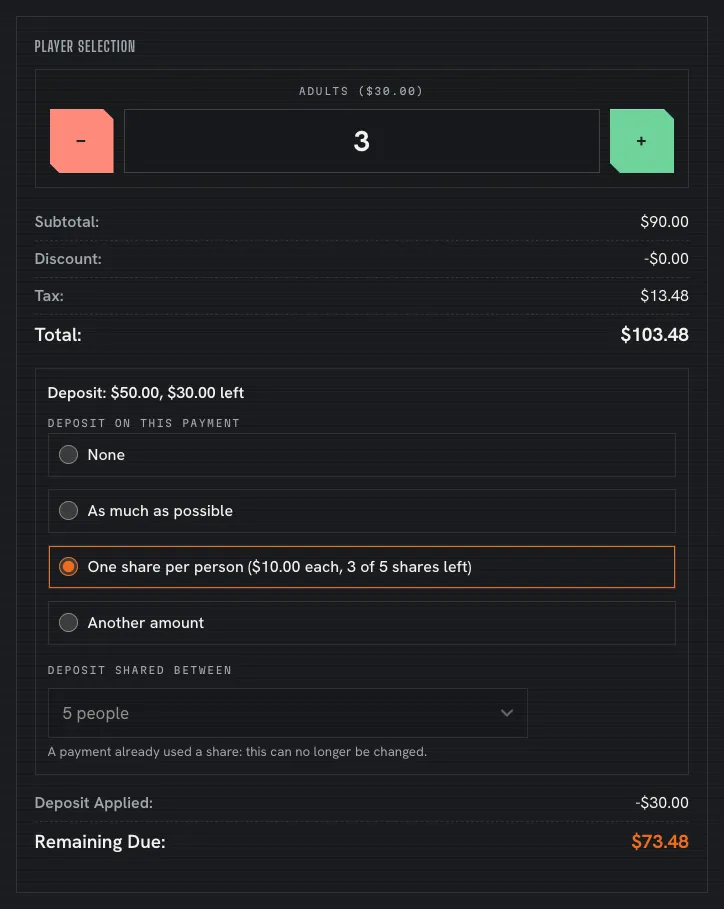
Each payment takes what it should from the online deposit: one share per person, as much as possible, or an amount you enter. A share is the deposit divided by the people it was paid for, so a player added on the day gets none, and a share never costs more than the ticket.

  • One share per person
  • Or an amount from the deposit
  • No share for walk-ins
The POS deposit panel: one share per person, three of five shares left Example

What is left goes back

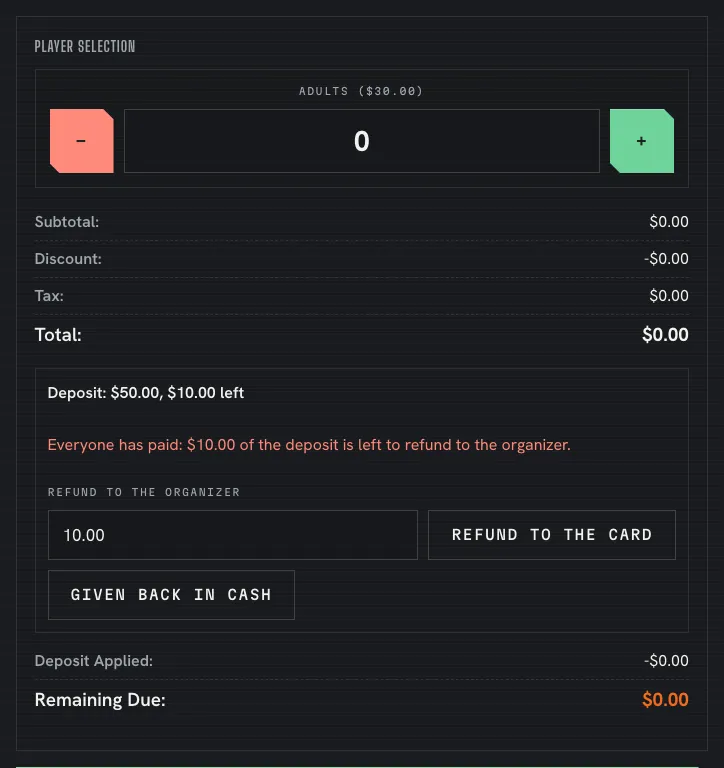
When fewer people come than the deposit was paid for, the POS shows what is left once everyone has paid. Refund it to the organizer’s card through Doura, Moneris or Stripe, all or part of it, or record it as given back in cash. The refund gets its own line, dated the day it is made.

  • To the card, or in cash
  • All or part of it
  • Its own dated line
The POS once everyone has paid: what is left of the deposit, to refund to the organizer Example

Promotions with rules

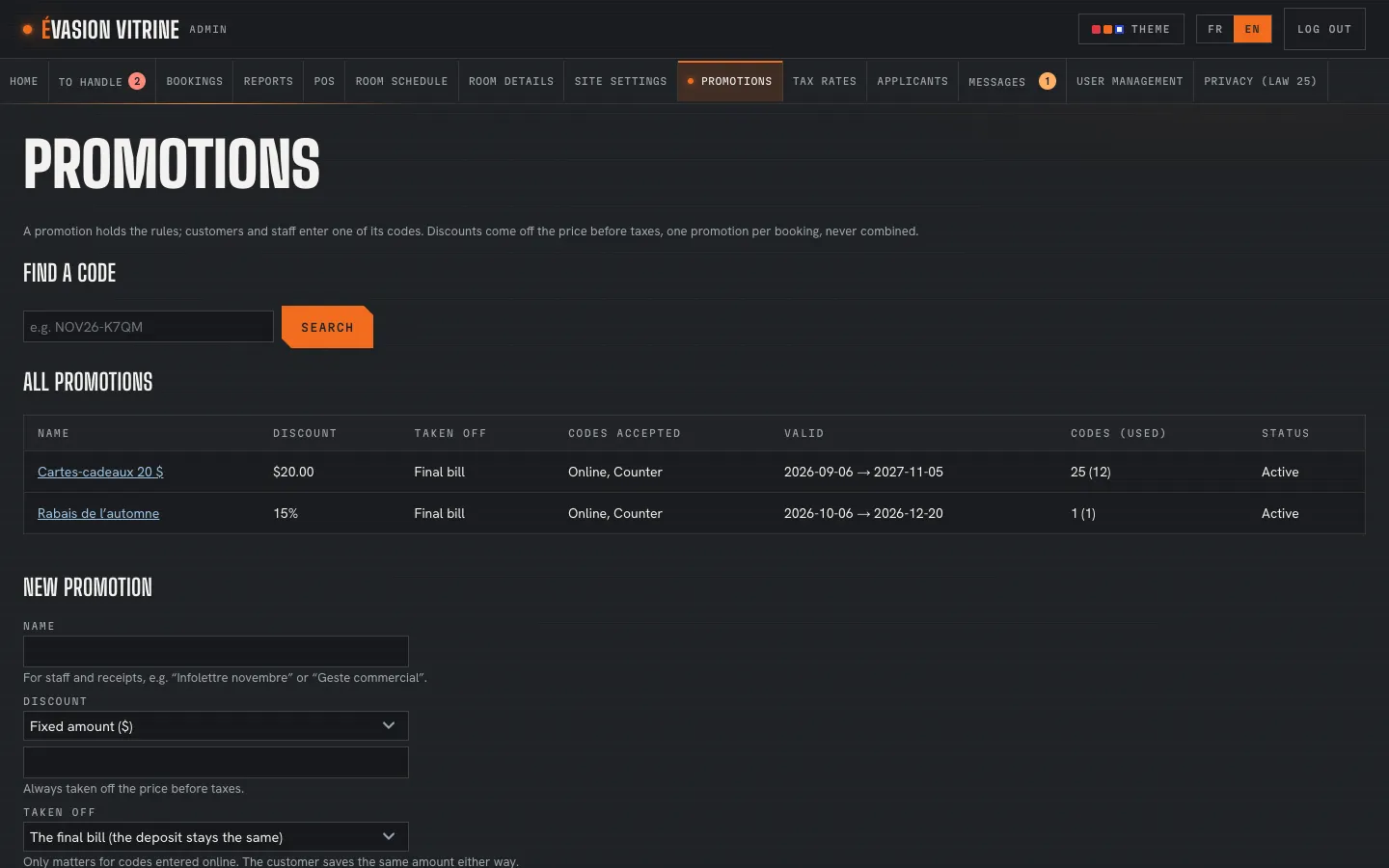
A percentage or an amount off, on the bill or the deposit first, online, at the counter or both, between two dates. One promotion per booking, never combined.

  • Percent or fixed amount
  • Valid from and to
  • Online, counter or both
Promotions: the business’s promotions Example

Shared codes and single-use batches

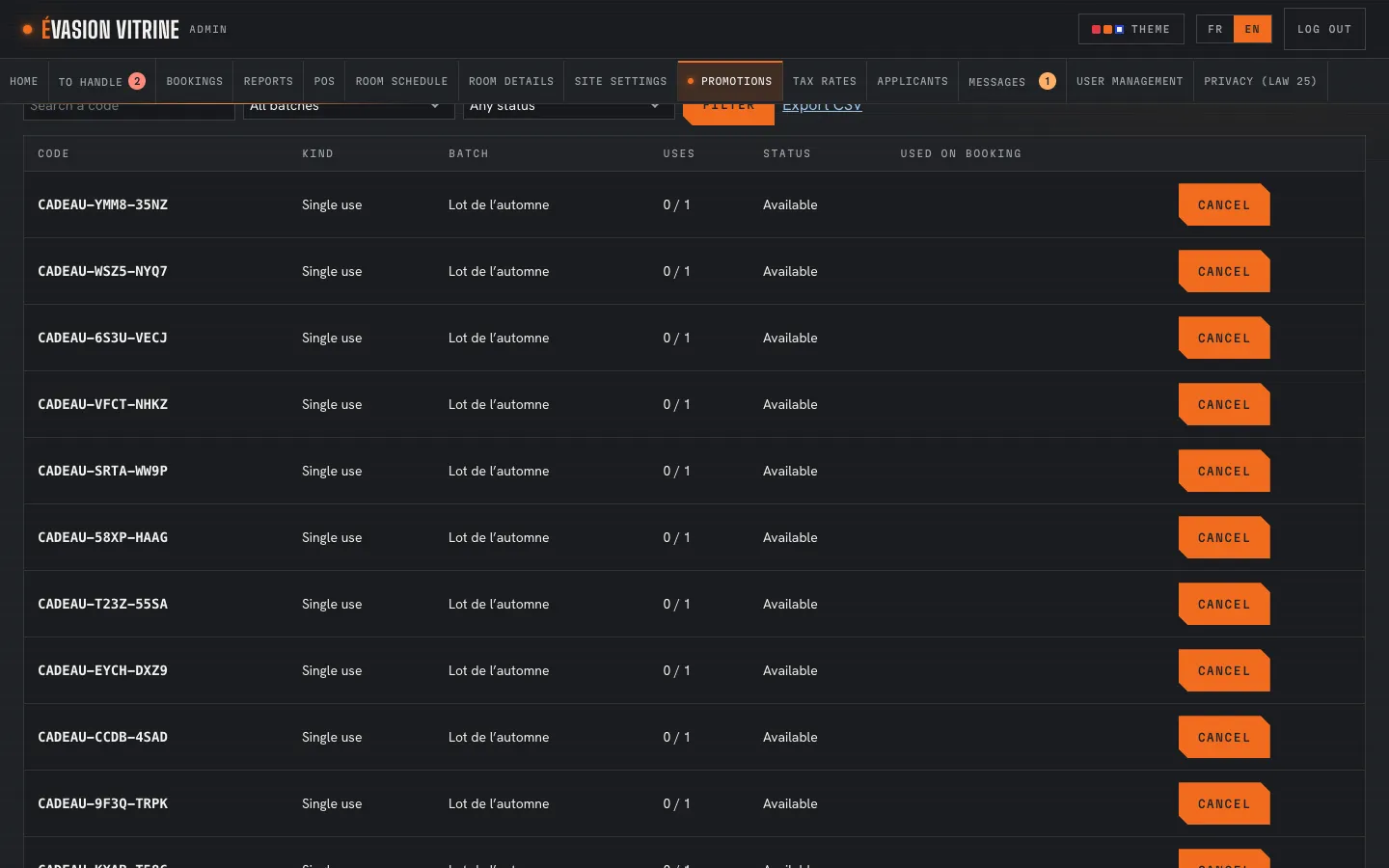
A code for everyone, with a limit if you want one, or a batch of unique codes for gift cards or a mailing. Find a code, cancel it, export the batch.

  • Batches with a prefix
  • Once per customer, if you wish
  • Export as CSV
A promotion’s single-use codes Example

An example Example

Five booked, four came

A group booked for five; four arrive and each pays their own share.

  1. 5:20 PM

    Sam loads the booking: a $50.00 deposit paid online for five. Four came, so the group is set to four.

  2. 5:21 PM

    Each player pays their own ticket, with one share of $10.00 taken from the deposit.

  3. 5:24 PM

    Everyone has paid and $10.00 of the deposit is left: Sam refunds it to the organizer’s card.

  4. 5:25 PM

    The refund is recorded on its own line, dated today; the receipts arrive by email.

On a phone

A counter on a phone

The POS fits a phone or a tablet, for games paid at the door.

The POS on a phone Example

What you set

What you set

  • Payment methods
  • Booking statuses
  • How each payment uses the deposit
  • Who the deposit was paid for
  • Promotions and their dates
  • Where each code works
  • Usage limits
  • Batches of unique codes

Questions

Can part of a group pay separately?

Yes: choose the players paid for now. With “One share per person”, each uses their share of the deposit, and the rest stays due.

What if fewer people come than the deposit was paid for?

Once everyone has paid, the POS shows what is left of the deposit. Refund it to the organizer’s card, all or part of it, or record it as given back in cash.

Does someone added on the day get a share?

No: the deposit is shared between the people it was paid for. Staff can correct that number before a share is used.

Which plans have the POS?

Opérations, or Essentiel with the POS option. Promotions come with Opérations.

See it with your rooms

Want the tour with your own business?

We show you the site and the admin portal set up with your rooms, rates and schedules, in French or English.